In this article, we will be reviewing the best cameras for a podcast studio, from high-end pro cams down to entry-level cameras that still deliver.
What are the best cameras for a professional podcast and how do they compare against one another? To be sure, not everyone needs the most expensive camera on the market, but whatever your needs and your budget, there are some key things to consider in your choice.
Choosing the right camera for your podcast
What we use in our studio in Ottawa is a combination of the Z CAM NDI and Z Cam E2C. First of all, these cameras are top quality. The Z CAM 2EC and Zcam NDI is probably one of the best in the market. This is a 999$ USD camera with an extraordinary depth of field, giving you very cinematic looks. Our review: Truly amazing.
The NDI camera has a 4k HDMI output, which is a HUGE THING because it allows you to record 4k videos to external recorders, like the Pearl Nexus for example. In our studio, we plug this directly into a 4K HDMI recorder to get some high-quality 4K footage. Just one note: these cameras don’t come with a screen, so they need to be connected to another device. For us, everything is automated, so this is not a concern, but it may be for you. As a quick note, you can use the Zcam app to use a phone as a screen if needed. Another cool thing is that the camera is POE+ ( power over ethernet ).
You can buy this and record directly, but then you’ll need to take out the card each time, which may require more time. We have opted for a 100% automated solution, but that comes with added costs.
Blackmagic is also another top-of-the-shelf, high-quality camera. We have used this one in our Gatineau studio. Overall, the Blackmagic camera is not as reliable, but it is still one of the top-quality cameras for cinematic looks on a budget. Black Magic Cameras are great cameras with amazing images and a great cinematic feel.
Best Cameras for an integrated, automated podcast
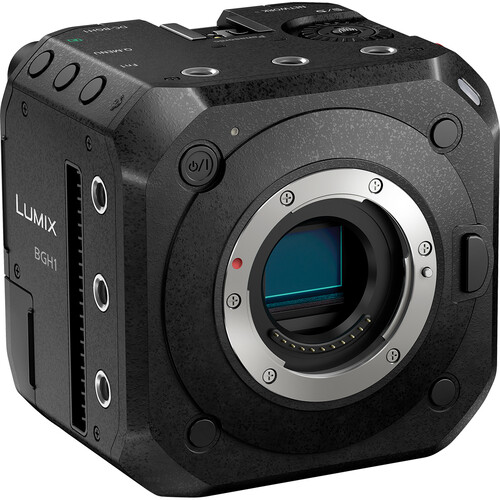
If you plan to use integrated solutions, you may explore different types of cameras. Option one is the Panasonic Lumix BGH1 Box Cinema Camera. This is a small camera, with 4K resolution HDMI output. Again, there is great, pretty useful input on this camera, audio input, SDI and HDMI output, all the key inputs for a studio.
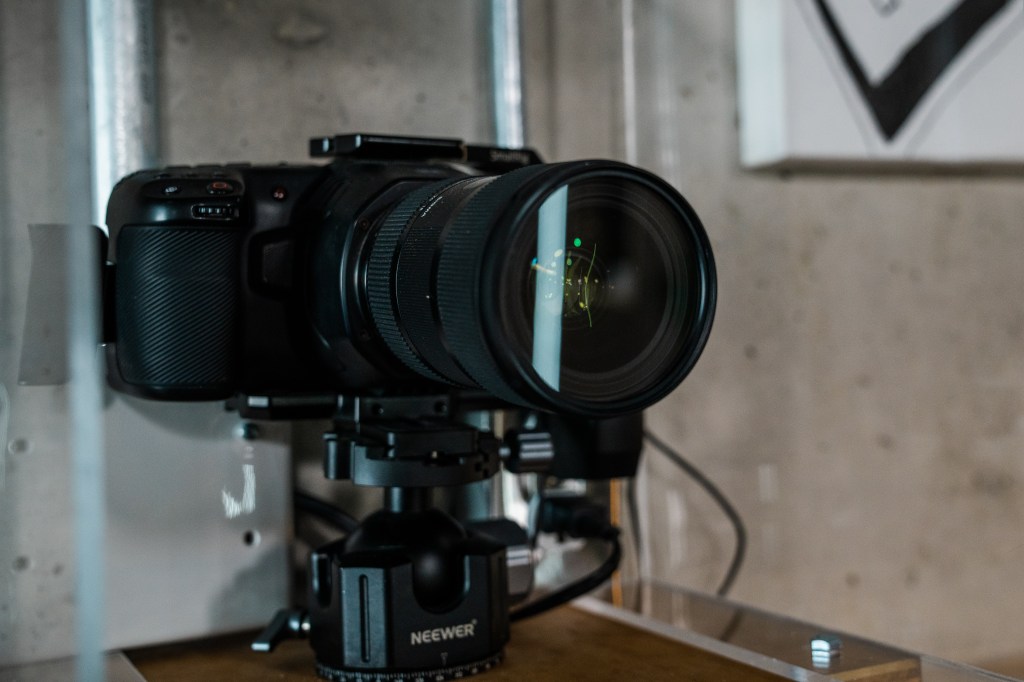
If you are using studio switchers, like a Blackmagic ATEM, you may also consider the Blackmagic Design Studio Camera 4K Pro G2. This is another camera specifically designed for use in a studio. This model offers amazing video quality, like the Zcam and Lumix box, but the Blackmagic colors are very different. If you are looking for something more high-end, the 4K pro-G2 has more options and a nice, practical screen, so if you are already planning for a higher-end tech solution, this may be what you need.
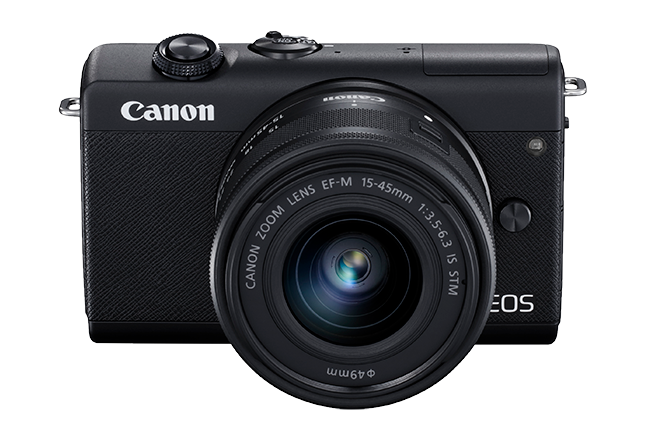
On the lower end, we are looking at the Canon EOS M200. This is a low-end, but quality camera, a very small format with a little screen on the top. However, the lens that comes with is not particularly great, so you will likely need to buy another. You will be able to program the cameras to stay on for more than an hour. There is some depth, but certainly not as much as the other 3 types above.
To Each According to their Podcast Studio Setup
Recording Limitation
Many cameras, particularly those intended for amateur use, often come with inherent recording time restrictions—commonly set at 30 minutes. This can pose a significant limitation for podcasting, where sessions often exceed this duration. To circumvent this, ensure to check the maximum recording time specifications. For example, the Panasonic Lumix GH5 is popular among video creators for its lack of recording time limits, making it ideal for long sessions (Panasonic GH5 on Official Website).
Overheating Issues
Cameras primarily designed for photography can encounter overheating problems during prolonged video recording. This is notable in some high-resolution models from Canon. To avoid this, selecting a camera designed with video recording stamina in mind is crucial. The Sony A7 III, for instance, has received praise for its improved heat dissipation, allowing extended recording times without overheating (Sony A7 III at Sony).
Lens Compatibility and Quality
When choosing a camera, consider the mount type and ensure it supports high-quality lenses that fit your studio’s requirements. For example, cameras with a micro-four-thirds system, like the Olympus OM-D E-M1 Mark III, offer a wide range of compatible lenses ideal for various studio setups (Olympus E-M1 Mark III at Olympus). Remember to consider the crop factor to accurately determine how a lens will perform on your camera.
Low Light Performance
For optimal low-light recording, seek cameras that boast features like dual native ISO, which significantly enhance performance in dim conditions. The Panasonic Lumix S1H is renowned for its exceptional low-light capabilities, providing cleaner image quality at higher ISOs (Panasonic S1H on Panasonic).
Autofocus Performance
Reliable autofocus is essential, especially in dynamic recording scenarios where subjects may move. The Canon EOS R5 stands out for its sophisticated autofocus system that tracks subjects accurately, ensuring sharp focus throughout recording sessions (Canon EOS R5 at Canon).
Aperture Requirements
In a studio setting, selecting lenses with suitable apertures is crucial. Lenses with apertures ranging from f/2.8 to f/4 are ideal as they provide a good balance between depth of field and light intake, essential for sharp yet beautifully blurred backgrounds. The Sigma 18-35mm f/1.8 DC HSM Art lens is a popular choice for its large aperture and exceptional sharpness, compatible with several camera mounts (Sigma 18-35mm at Sigma).
Jeremy Prudhomme is the Owner of JeemanGo Podcast Studio and co-owner of Uber Flix Podcast Studios. He works as a video producer with the Canadian Space Agency, the Canadian Broadcast Corporation, and NASA! He is also the producer of Hoppy History Podcast.
Related
 Uber Optimized